Open and convert your .pub files — without Microsoft Publisher.
Drop a Publisher file. Get a PDF back in about a minute, plus a Word document if you want to keep editing. Your first file is free — no account, no watermark.
- Works with .pub files from Publisher 2003 through 2021
- Plain-English note on anything that may have changed
- Files deleted automatically after 24 hours
How it works
Upload
Drag in a single .pub file, a whole folder, or a .zip from your shared drive. Nothing to install.
We convert
Each file becomes a PDF (and a Word .docx if you choose). We check the fonts and layout and write a short note about anything that changed.
Download
Preview every page, then download one file or everything as a ZIP. Your files are deleted from our servers 24 hours later.
A real bulletin, before and after
St. Mark's weekly bulletin, 4 pages, made in Publisher 2013. Shared with permission.
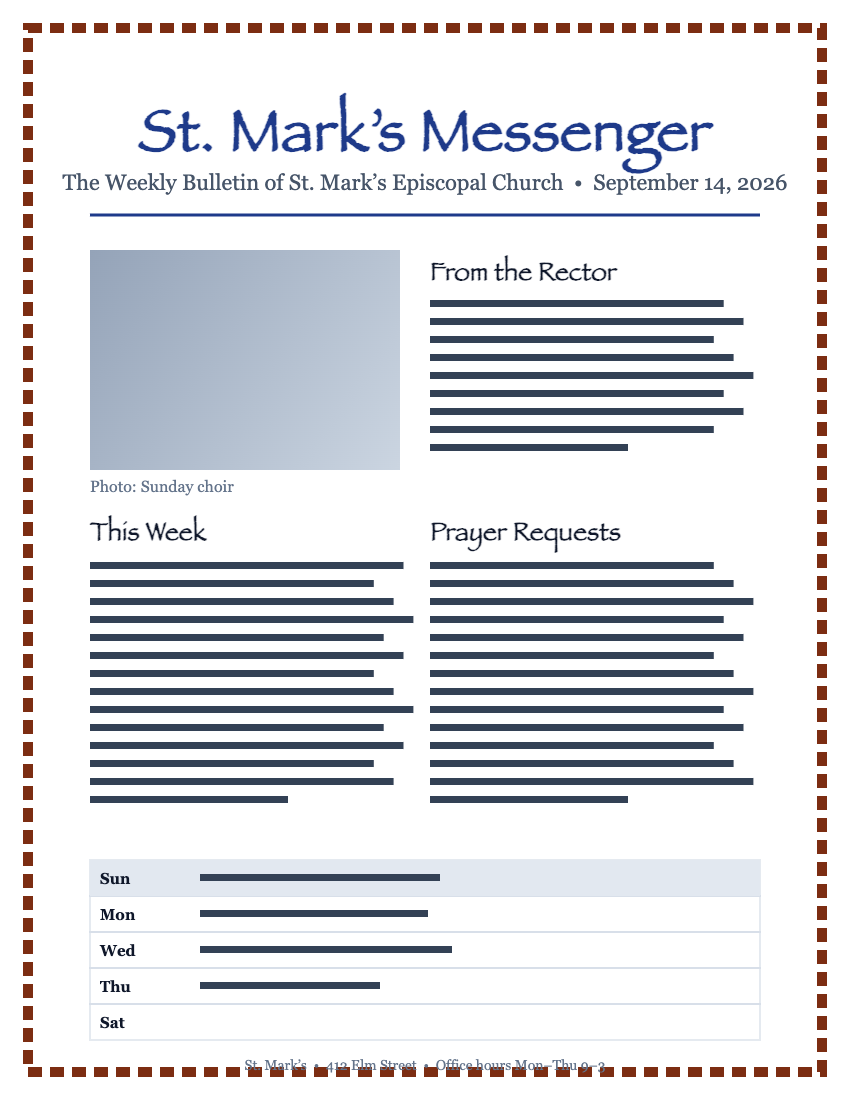
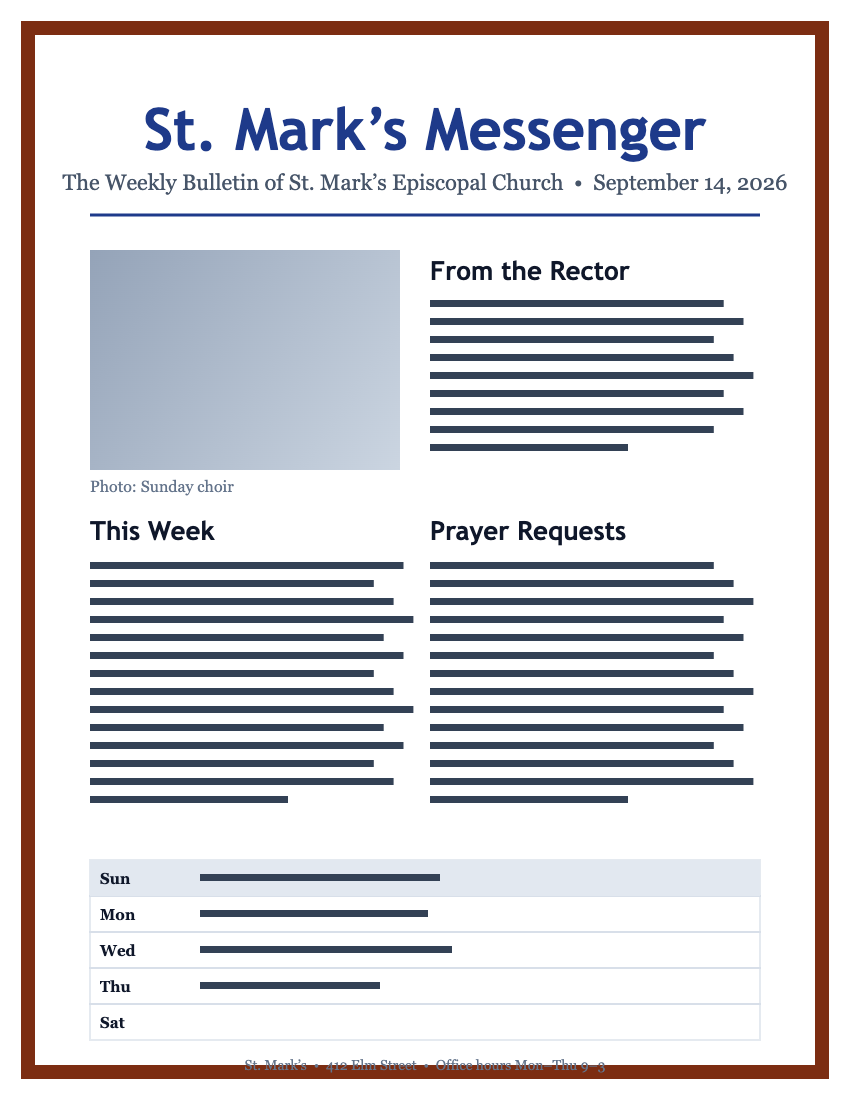
- Heading font Papyrus wasn't available; we used Nunito in its place. Headings may look slightly different.
- Body text, photos, columns and page order matched the original.
What converts well, and what to double-check
We'd rather tell you now than have you find out in front of the congregation.
Handled well
- Text, paragraphs and columns
- Photos and clip art
- Tables and calendars
- Page size, margins and page order
- Common fonts (Arial, Times New Roman, Calibri, Georgia, Verdana)
- Multi-page newsletters and booklets
May need a manual check
- Unusual fonts — if a font isn't installed on our side we pick the closest match and tell you which one
- Decorative page borders (BorderArt) — sometimes render thicker or drop out
- WordArt and text on a curve
- Text boxes that overflow in the original
- Files from Publisher 98 and 2000 — most work, some don't
Every file comes with a note listing exactly which of these applied — so you know what to look at.
Simple pricing
One-time payment. No subscription. Credits never expire.
Every paid option includes PDF + Word output, the fidelity note for each file, and a 24-hour download window. See full pricing →
Your files are yours. We keep them for 24 hours, then delete them.
Bulletins list names, addresses and prayer requests. Certificates carry students' names. We treat every upload as private.
- Uploads and results are deleted 24 hours after conversion, automatically.
- Files are transferred and stored encrypted. Nobody on our team opens them.
- We never use your documents to train anything or share them with anyone.
- Want it gone sooner? There’s a "Delete now" button on every results page.
Common questions
Do I need Microsoft Publisher installed?
Nope. PubRescue opens .pub files on our side and sends you back a PDF and, if you want, a Word document. It works from any browser, including on a Mac or a Chromebook.
Will my file look the same?
Almost always yes for text, photos, tables and layout. Unusual fonts and decorative page borders are the two things that sometimes change. Every file comes with a short note that says exactly what, if anything, changed.
Is the free file really free?
Yes. One file, full quality, no watermark, no account, no card. If you have more than one file, paid plans start at $9 one-time for up to 10.
What happens to my files?
They’re deleted from our servers 24 hours after conversion, automatically. You can also delete them sooner from the results page.
Which Publisher versions work?
Publisher 2003 through 2021 (including Microsoft 365) convert reliably. Publisher 98 and 2000 files usually work but we flag them for a manual check.
Can I still edit the result?
Yes — choose Word (.docx) output. Text stays editable and pictures stay in place. It won’t be a Publisher file, but you’ll be able to update your newsletter in Word.